Windows desktop app · League of Legends · Free

Lock in your best.

Lock reads champ select as it happens and tells you the moment you drift outside the two to five champions you actually win on. No overlay clutter, no Riot login.

Download Lock.zip See the Vault v1.3.0 · ~24 MB · Windows 10/11
Vault — live states
Status Scanning Client Champ select Hover Fizz Pool 5 sealed
Fizz HoverFizz
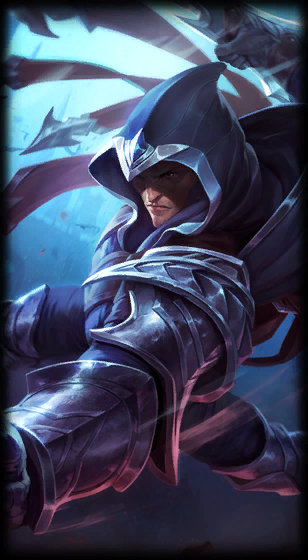
Talon HoverTalon
Viktor BannedViktor
Katarina HoverKatarina
Twisted Fate HoverTwisted Fate
Camille

Camille is outside your pool.Lock raises a foreign-signature warning before you commit the pick.

The problem

Ranked games get lost before the loading screen.

Champ select is thirty seconds of pressure, and the pick you regret is almost never the one you planned.

Panic pick

Someone hovers your lane, the timer drops, and you take a champion you haven't played in months.

Too many options

A twenty-champion pool means twenty first-times. Mastery comes from repetition, not variety.

Tilt picking

Two losses deep, you swap to something "fun" and turn a bad session into a worse one.

No memory

You forget which champions actually carried you last month, so you pick on feel instead of results.

What Lock does

One system for your ranked identity.

Not a scouting overlay and not another stats site. Lock only cares about your own pool, your own form, and the decision in front of you right now.

Live guard

Every hover checked against your pool

Lock polls the League Client roughly twice a second during champ select and compares what you're hovering to the champions you committed to.

Warning

A foreign-signature alert, not a lecture

Drift outside the pool and a clean warning appears while you still have time to change your mind. It works even when Lock isn't the focused window.

Form

Comfort zone from real results

Recent games on your pool champions are ranked by actual win rate and KDA, so "comfort" means what the record says, not what you remember.

Profile

Rank, LP and pool in one place

Solo/duo rank with the real tier emblem, current LP, session record and your sealed pool, without opening a browser.

Signature

Lock DNA reacts to your discipline

A visual fingerprint that stays calm when your pool is tight and bends when it scatters. It's a mood ring for your champ select habits.

Stream

Compact OBS overlay

A small status surface with session wins and losses that drops straight into a browser source, so your pool discipline becomes part of the broadcast.

The Vault engine · new in 1.3.0

The pool became a machine with states.

Your champions sit in chambers that react to what the League Client is doing. It's rendered natively in Qt at up to 60 FPS — no embedded browser, no second runtime.

STATE 01

Dormant

League Client is closed. The chambers go quiet and Lock sits in the tray costing you nothing.

STATE 02

Armed

You queue up. Matchmaking and the ready check bring the rack online and the brass edges light.

STATE 03

Scanning

Champ select begins. The champion you're hovering develops its chamber to full glass and shows its skin and availability. Banned champions seal shut; ones already taken by a teammate get marked.

STATE 04

Foreign signature

Hover something outside the pool and the whole rack throws a red alarm sweep. This is the one moment the app exists for.

STATE 05

Locked in

Confirm an in-pool champion and its chamber expands into a full-width splash with a signature effect built for that champion — water and caustics for Fizz, blade trails for Talon, Hexcore fog for Viktor, orbiting cards for Twisted Fate.

STATE 06

Deployed, then archived

The game starts and the Vault switches to deployment. When it ends, the result lands in the archive and your form updates.

Setup

From download to your first warning.

Four steps, no Riot password, nothing to configure in the client.

Open League

Start the League Client on your PC as you normally would, then run Lock.

Connect the lockfile

Lock finds it on its own in most installs. If yours lives somewhere unusual, point at it in Settings.

Seal two to five champions

Pick the champions you actually want to be playing. Fewer is the point — this is a commitment, not a wishlist.

Queue with Home or Profile open

Leave Lock on either page before champ select so live status and the off-pool warning fire the way they should.

What a lockfile actually is

A temporary key the League Client writes on your own machine while it's running. It gives Lock the local port and authorization needed to read client state and champ select. It never leaves your computer, and Lock never asks for your Riot password.

C:\Riot Games\League of Legends\lockfile
Creator & owner

Built by KeniX.

Lock, its visual system and the champion-pool concept behind it are independently designed and developed. Bug reports, ideas and feedback all welcome.

KeniX
Lock 1.3.0 · Windows

Your best champions are already enough.

Download Lock.zip ↓